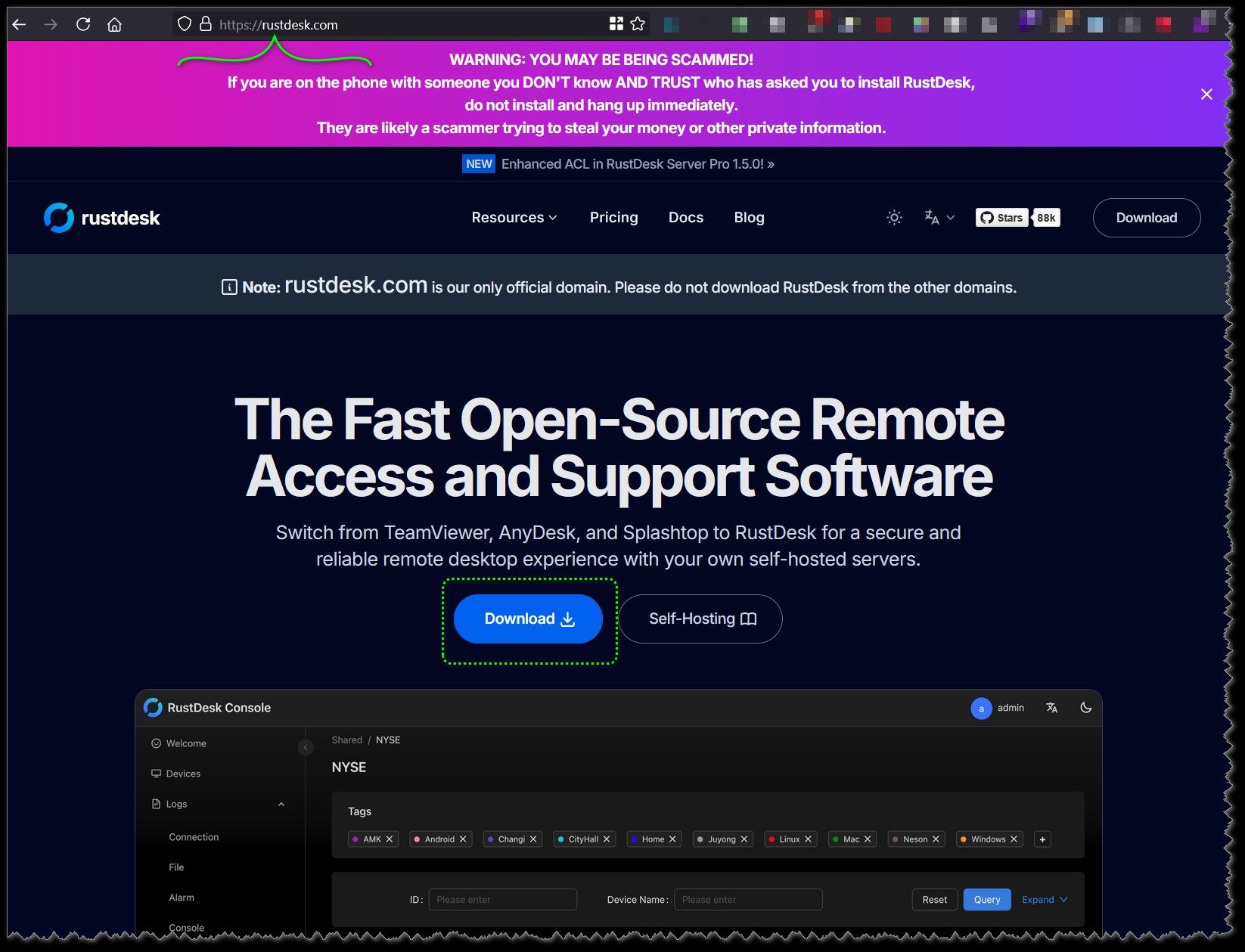
https://rustdesk.com
Open a internet browser and go to https://rustdesk.com and click the Download link.
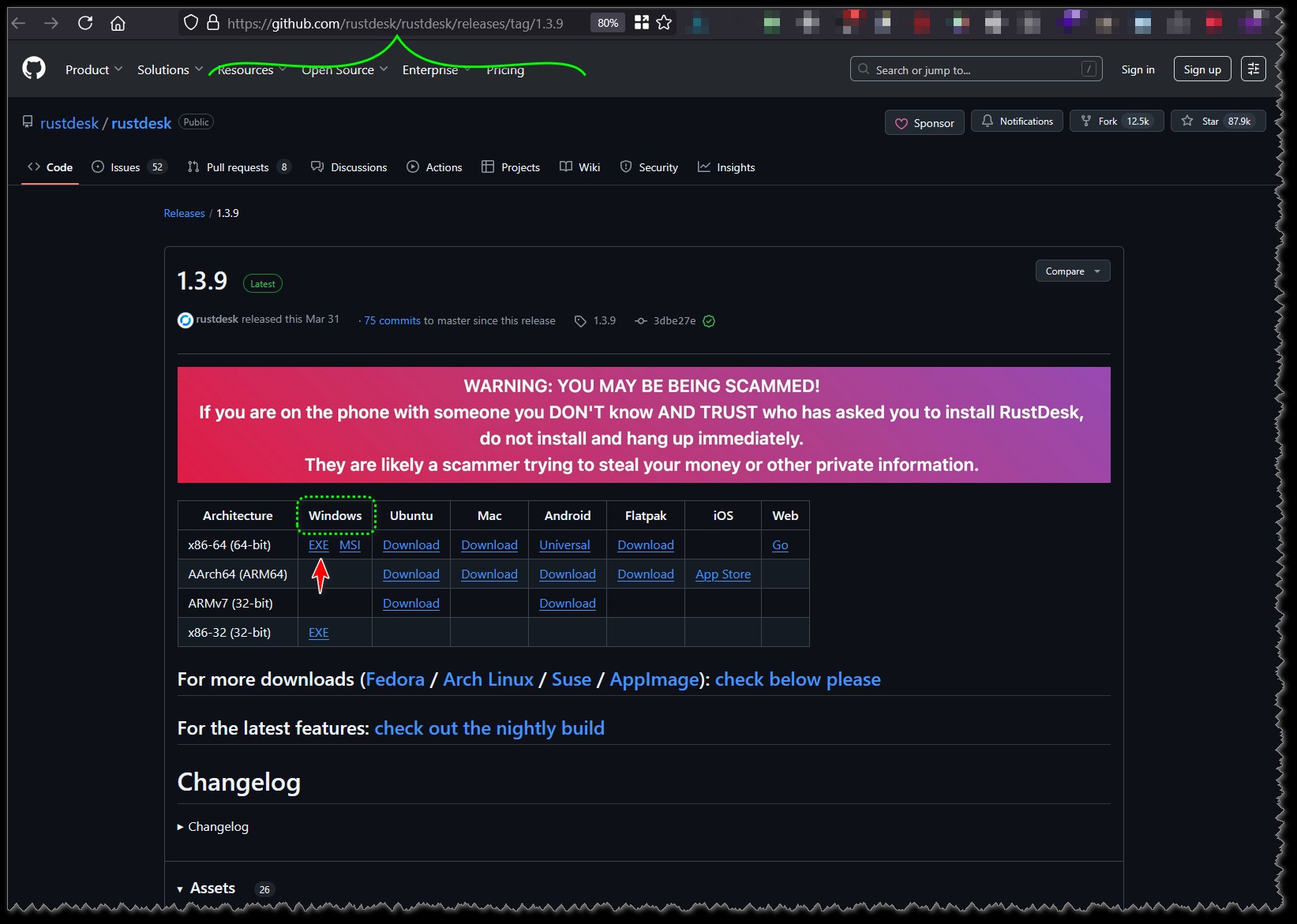
On the download page download the EXE file. This should be saved in your Downloads folder.
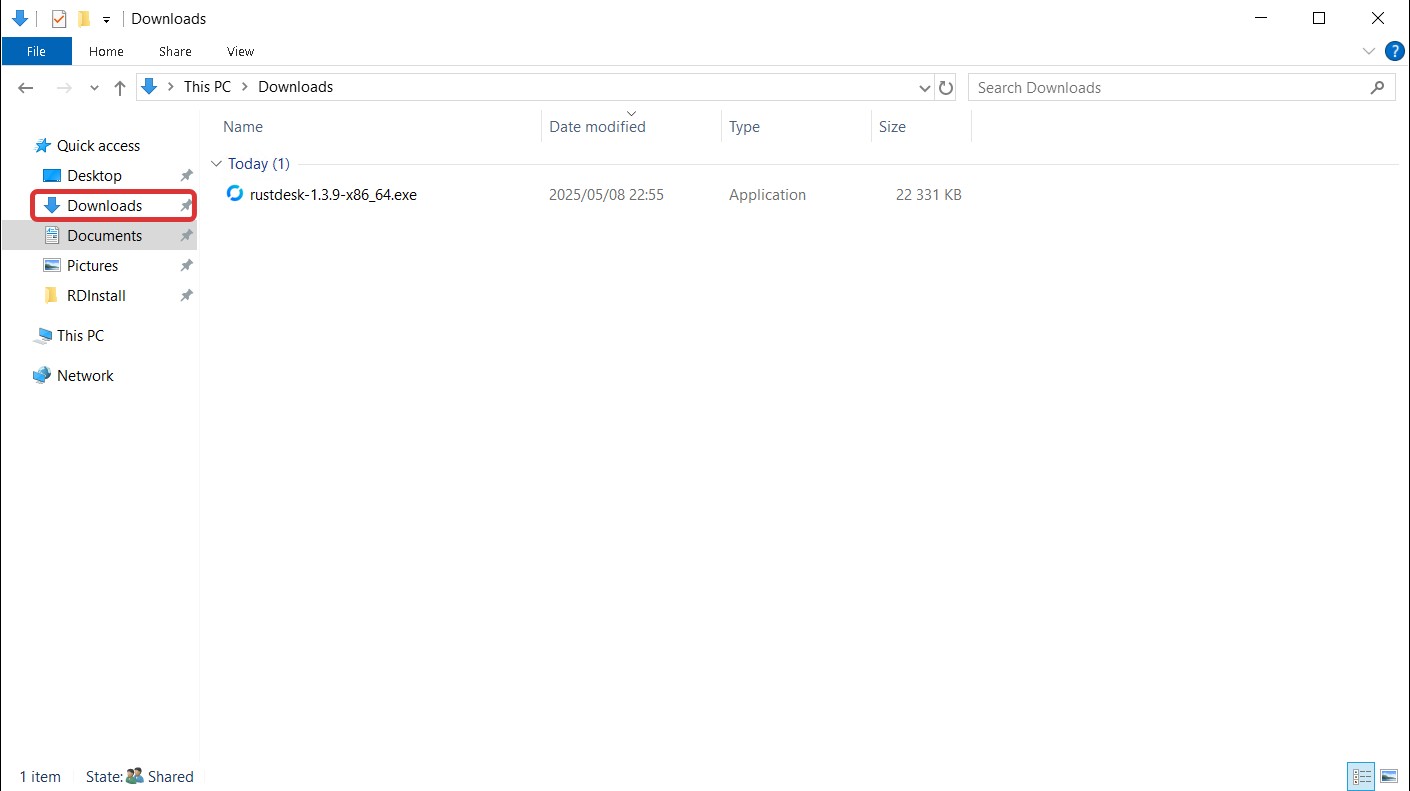
Find the rustdesk executable file in your Downloads folder. Double click on it to run it.
You will receive a security warning. Select Yes to allow rustdesk to make changes to your system.
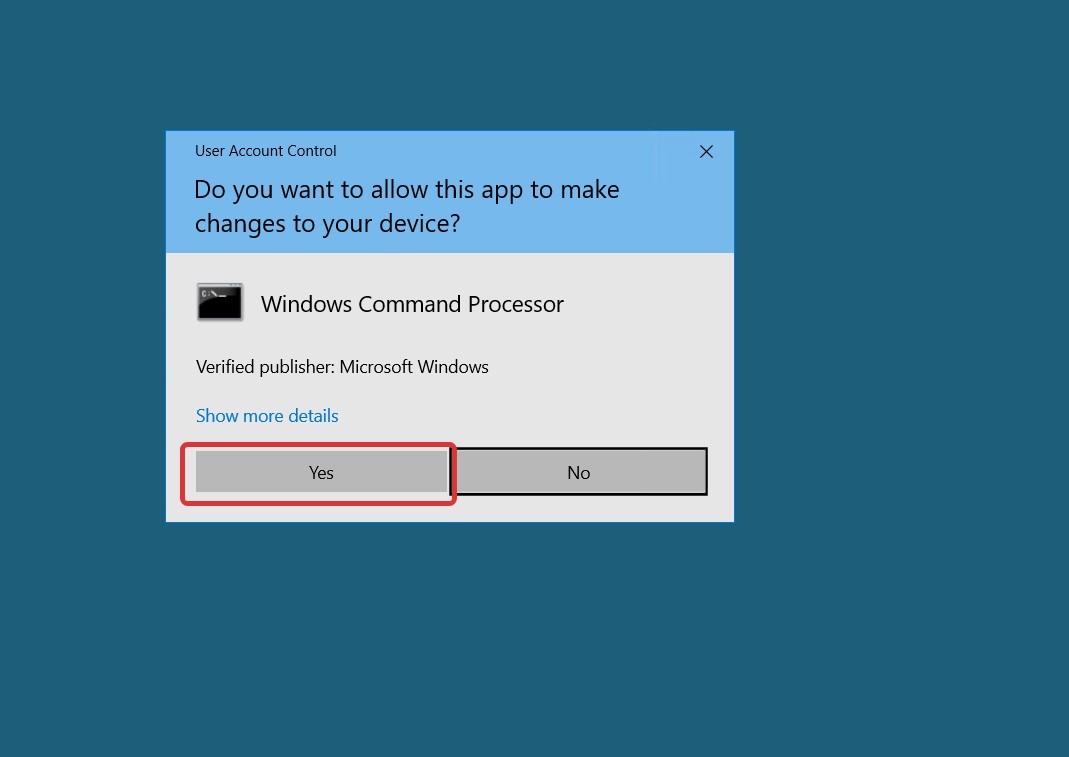
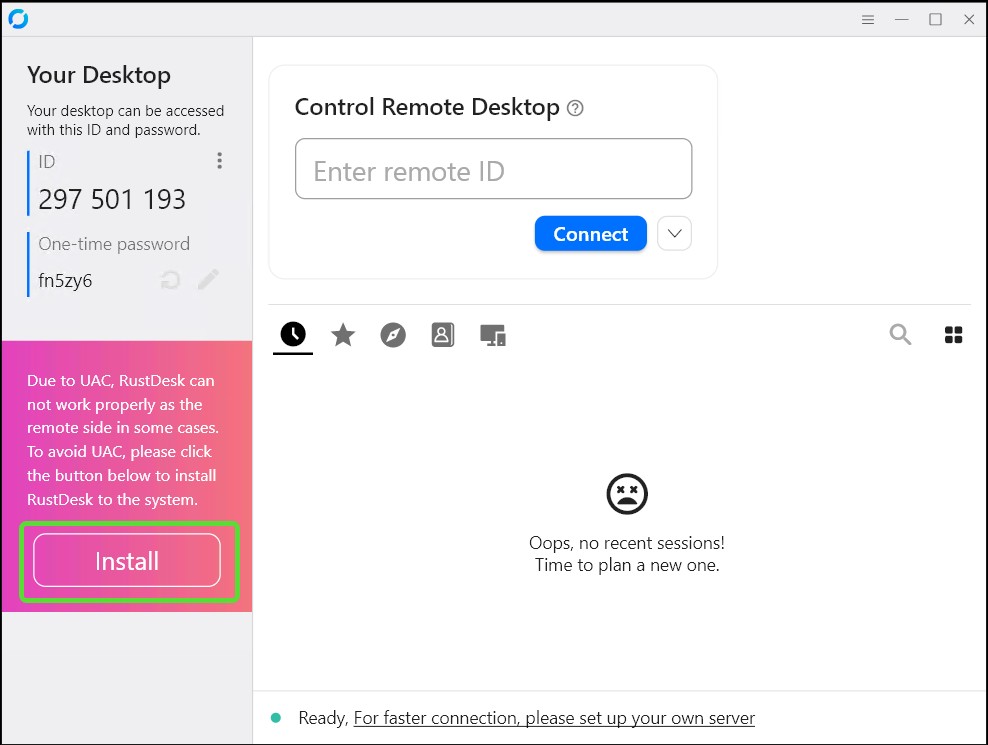
⚠️ You will need to install rustdesk to the system. Please click the Install button on the left of the window.
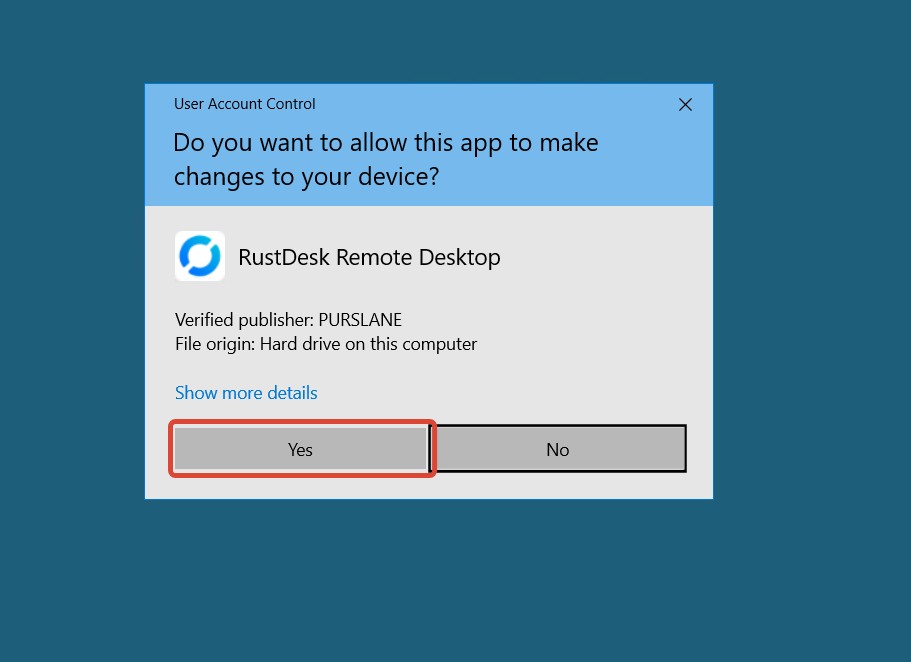
Click Yes to allow the installation of Rustdesk to proceed.
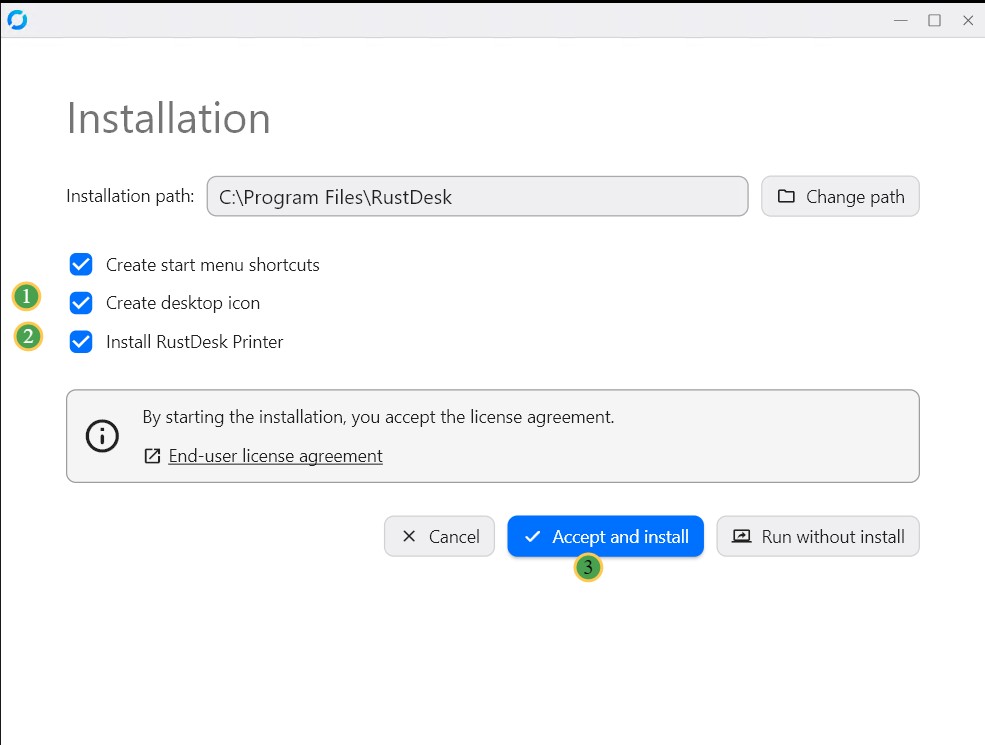
You can accept the default installation options. You may also disable the option to create a desktop icon or install the Rustdesk Printer driver.
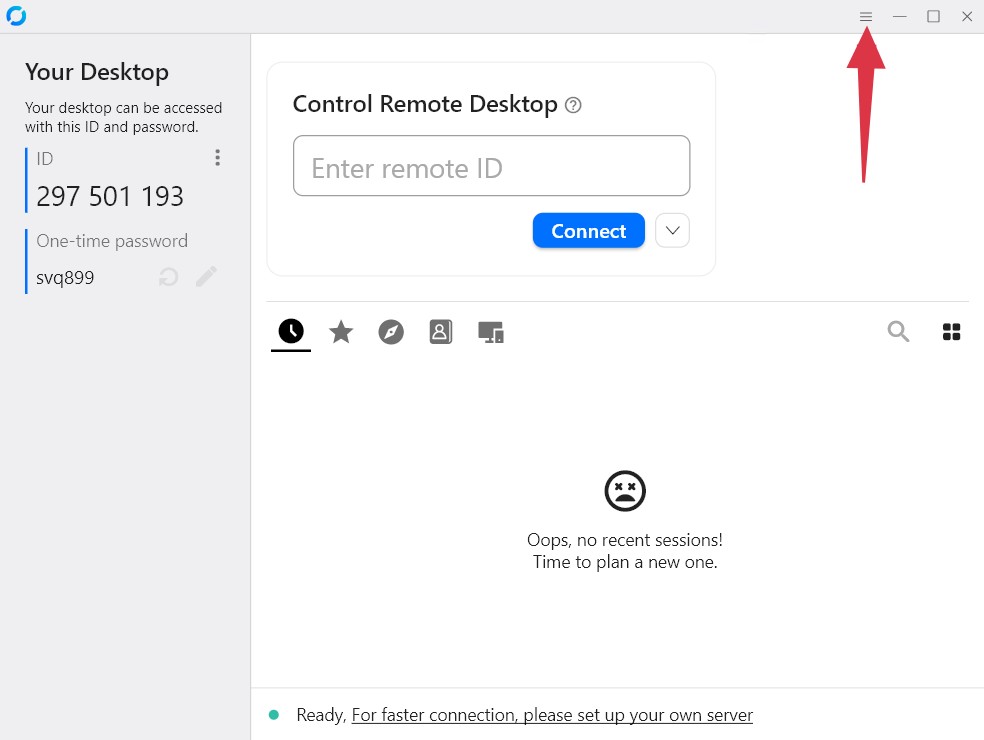
Click on the menu icon on the top right of the rustdesk window.
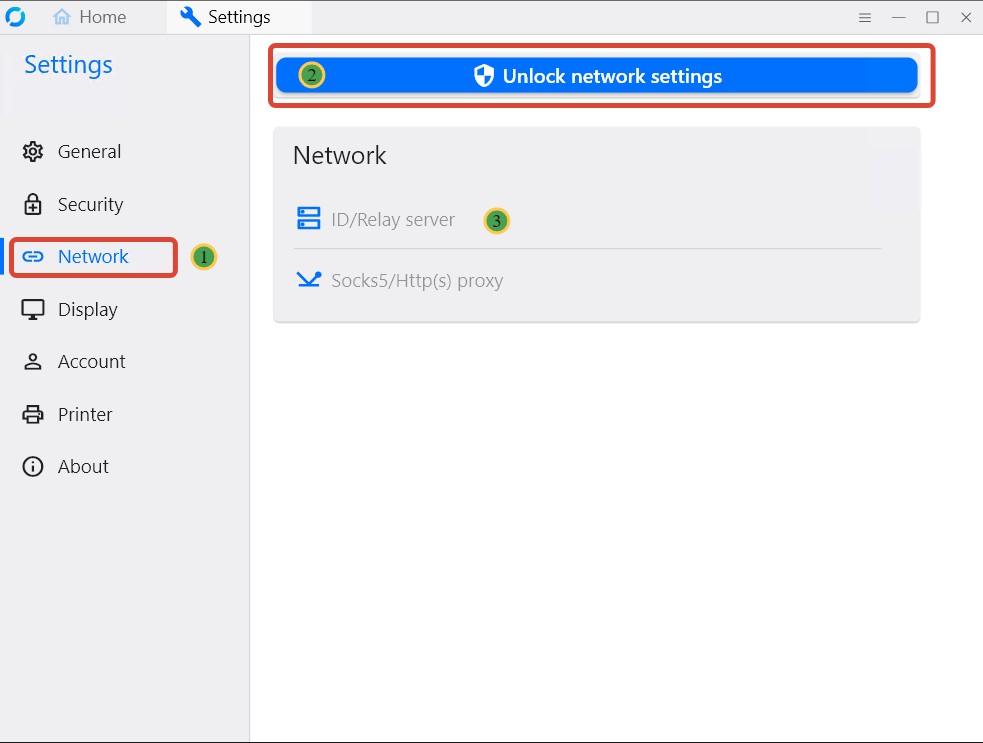
Select the Network option on the left. Then click the "Unlock network settings" button on top, accept the security warning prompt. Then select the ID/Relay server option.
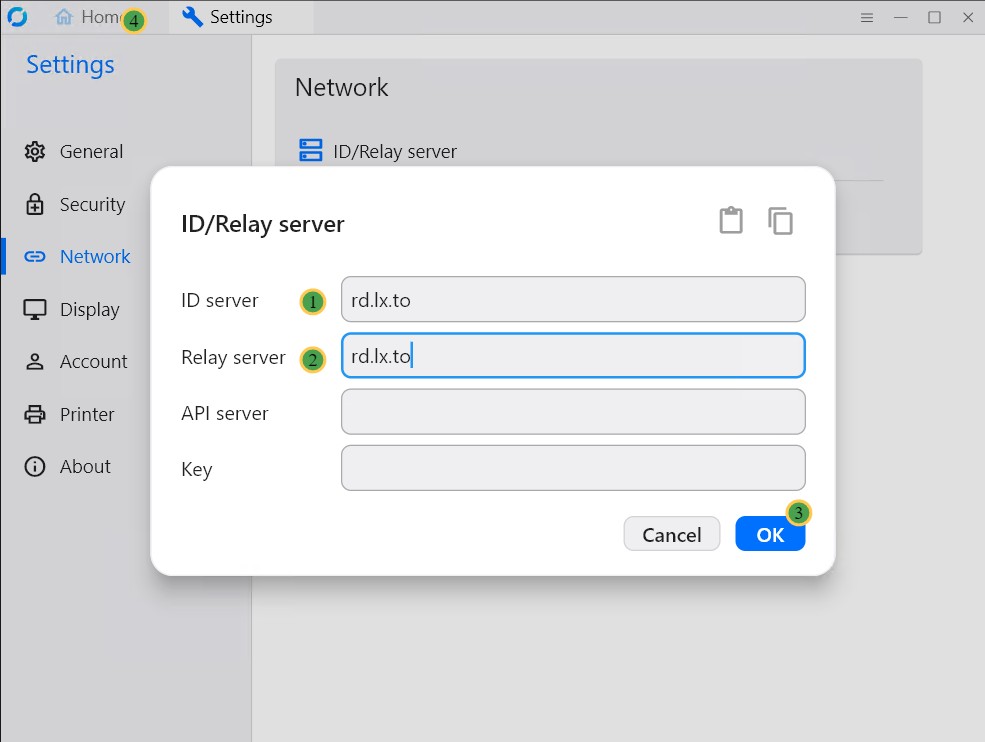
ad rd.lx.to to ID server and also Relay server. Then click OK to save. Then click on the Home option at the top of the rustdesk window.
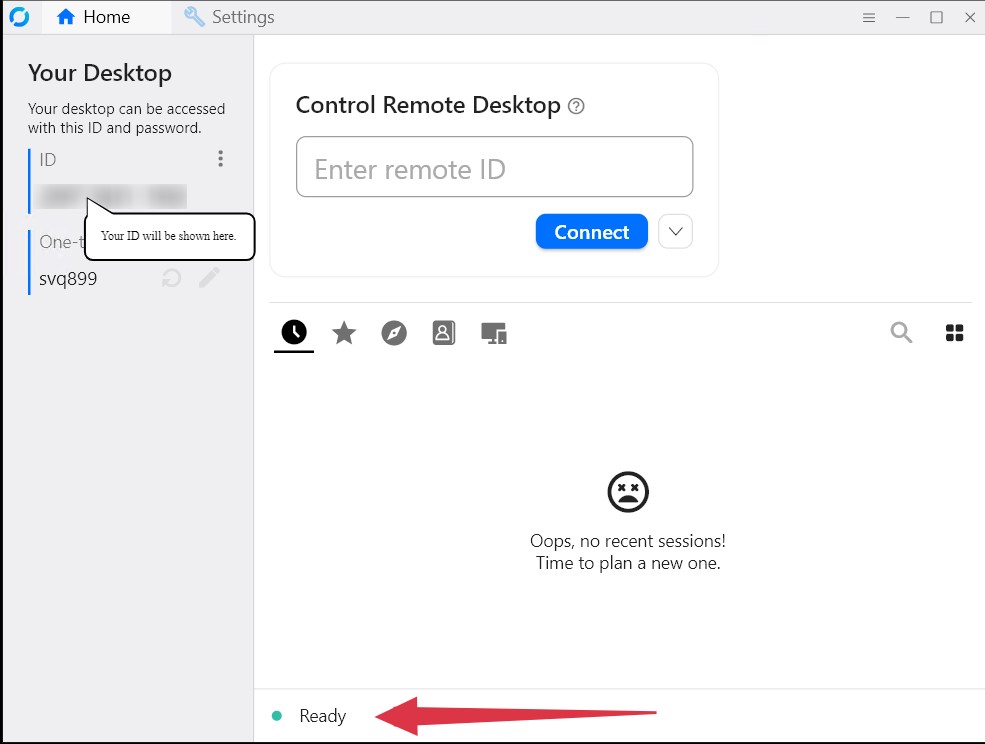
Check the bottom of the rustdesk window there should eb a green dot with the work Ready. This means you are connected to the rustdesk server. Make a note of your ID.